

TabellenFaktura for Word · Manual
Documentation
Set up the Word application and create electronic invoices from your own invoice document, from installation to sending the final file.
The route to your first Word invoice
How the Word application works
Write and lay out the invoice in Word. TabellenFaktura reads mapped text ranges and table cells, calculates the structured amounts and checks the data. It creates either a ZUGFeRD PDF with embedded XML or an XRechnung XML file.
The PDF uses the Word document's printed appearance. Its visible lines, totals and payment details must therefore agree with the structured invoice. Creating an invoice does not automatically correct Word formulas or typed totals.
- Word document
- The editable invoice with layout, text, tables and mappings.
- Mapping
- The connection between an invoice field and its value in the document.
- Line-item table
- The Word table containing descriptions, quantities, units and net unit prices.
- Journal
- The Word application's record of reserved numbers and completed invoices.
- Archive
- The saved final PDF and XML files.
Select Word or Excel
TabellenFaktura for Word and TabellenFaktura for Excel are independent applications with separate entitlements, customer records, journals and backups. A Word backup is not an Excel backup. Use the Excel documentation for workbook-based invoices. The application selector stays available in the documentation.
Find help for daily tasks
- All tools and assistant sections
- Multiple pages and continuation text
- Advance payments and final invoices
- Troubleshooting
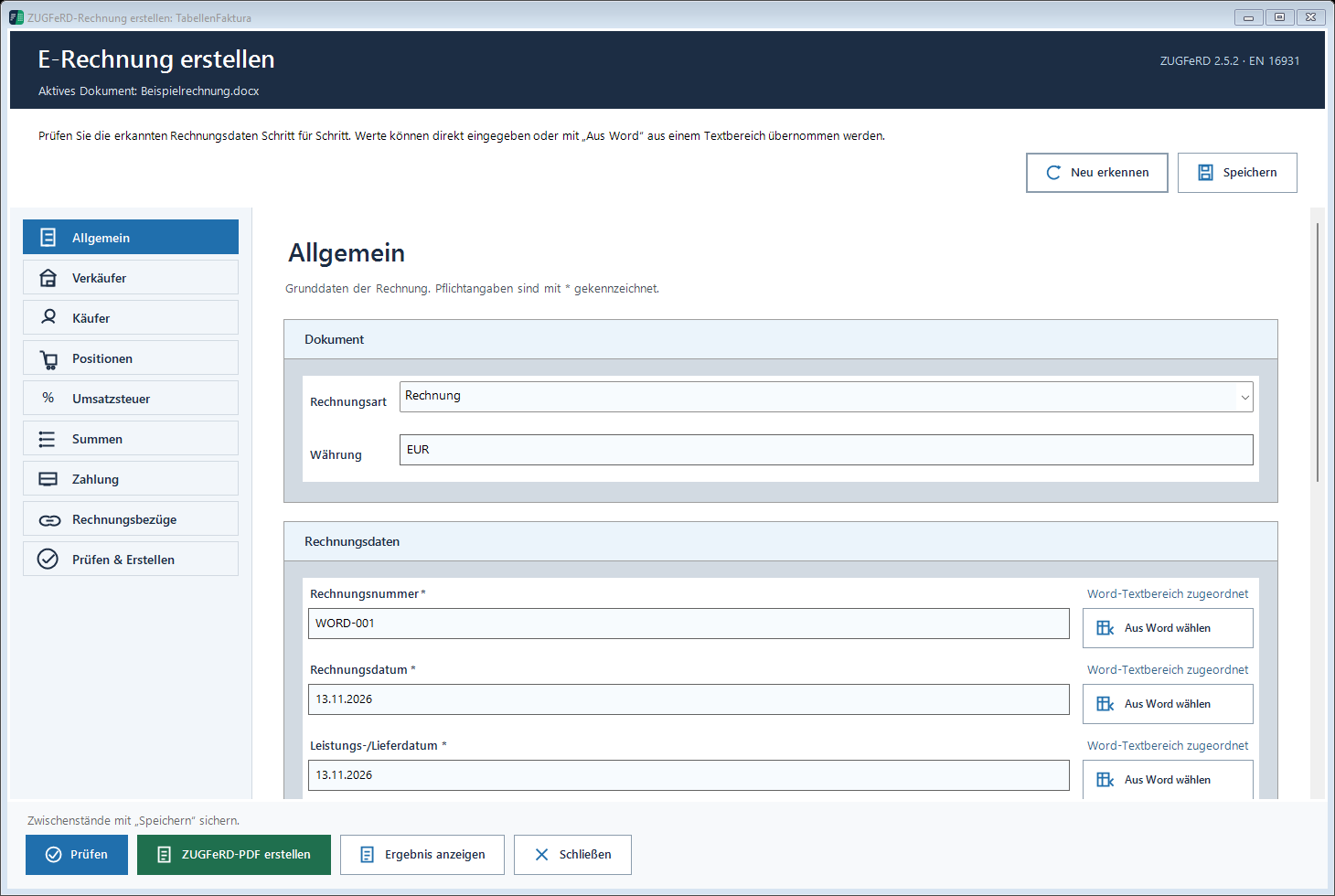
The screenshots show real application windows with sample data. Click an image to open its original size. The application labels in the screenshots are German.