

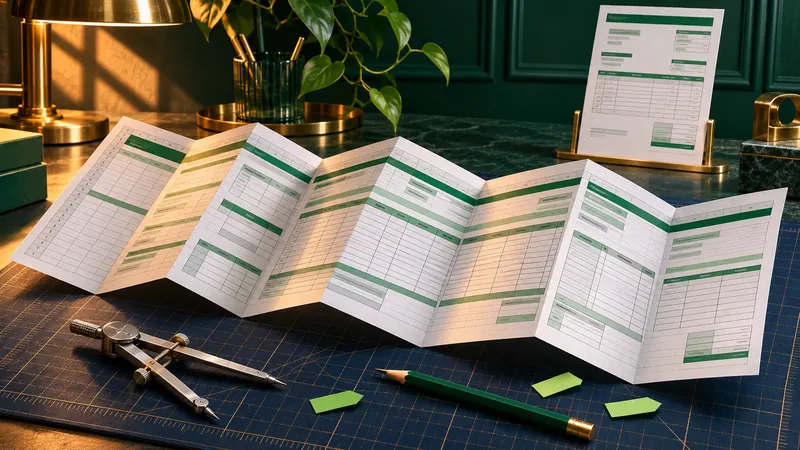
Even highly complex Excel invoice templates can be adapted for TabellenFaktura. Multiple worksheets, established formulas, custom stationery or existing macros are not an automatic reason to abandon a proven template. Our setup service reviews the existing structure and carries out the agreed adaptation.
The file must be accessible and the required areas must be editable. Invoice data must also be complete and understandable. The necessary work and its price are determined after reviewing the workbook.
The offer: The Setup service with Tabularia is an additional paid service. A simple setup starts at €29.99 excluding VAT Complex templates receive an individual quote. The enquiry is non-binding; work begins after the order is confirmed.
Which complex Excel files can be adapted?
An invoice template often develops over many years. Additional services are added, formulas expand and different job types receive their own sheets. In trades and construction, this can result in extensive workbooks that closely reflect the company's processes.
Adapting a workbook for TabellenFaktura therefore involves more than counting its rows or sheets. The relationships between invoice details, line items and calculations are more important. Typical tasks include:
- Multiple invoice sheets: assessing different templates, continuation sheets or variants within a workbook.
- Long item lists: distinguishing services, headings and total rows and mapping the intended invoice data.
- Custom formulas: understanding existing calculations and making their results accessible for data import.
- Stationery and design: coordinating the logo, header, footer and printed output.
- Macros and buttons: accounting for existing workflows during adaptation and testing the agreed changes.
- Linked data: identifying other files or data sources required for a complete invoice.
Even a particularly extensive file is therefore a suitable candidate for assessment. A binding scope is confirmed after review. Complex formatting cannot automatically supply missing information or replace an inaccessible data source.
Practical example: established invoice templates from sewer construction
A real adaptation project from sewer construction demonstrates that an existing Excel solution does not have to be reduced to a simple standard table. The work covered five workbooks with a total of 26 invoice sheets. These included multipage templates and files containing existing macros and controls.
The agreed focus was on custom stationery and company and payment details that TabellenFaktura can read as cell values. The stationery was embedded, the necessary print settings were adjusted and an additional sheet containing company details was added.
The original structure was preserved: existing cell values, formulas, row heights and column widths were not changed. Existing VBA projects and ActiveX components were also retained. All 26 invoice sheets were exported from Excel as PDFs and the added company and payment fields were checked using the TabellenFaktura reader.
The example demonstrates the value of targeted template adaptation: an established workbook can remain in use and be extended where its design or data preparation requires it. This particular assignment covered that template work. Checking a complete e-invoice subsequently created from it is a separate step.
What can the setup service handle?
The adaptation depends on the actual requirements. Sometimes a clear mapping of existing cells is sufficient. Other templates need additional information, corrected print areas or data from purely graphical elements supplied as cell values as well.
Mapping invoice fields and line items
The invoice number, date, customer, seller and payment details receive clear mappings. For line items, particular attention is paid to description, quantity, unit and price. Additional totals or rows containing only text must be assessed in the context of the template. The Excel template documentation explains these fundamentals.
Coordinating custom stationery and multipage output
A logo or bank details in the stationery may be visible in the PDF without existing as an Excel cell value. The information required for structured data import must also be available in suitable cells. The design and the cell values must contain the same information.
Multipage invoices also involve page breaks, repeated headers and complete print output. The article on multipage Excel invoices explains the relationship between visible pages and imported line items.
Accounting for formulas and existing automation
Existing formulas and macros can remain part of the intended workflow. They are not replaced indiscriminately merely because the template is being set up. The initial review establishes whether additional formula or VBA changes are needed. New programming and macro changes are expressly agreed as part of the scope.
Template adaptation and invoice checking go together. For a complete workflow, the exported invoice data must match the selected invoice scenario. For interim invoices, final invoices or special deductions, simply importing a visually plausible total is insufficient. The documentation on special cases provides guidance.
What requirements must the Excel file meet?
The required areas must be editable
An editable working copy is needed for adaptation. An unknown password must not prevent opening the file or making necessary changes to sheets, cells or the workbook structure. An authorised person should remove protection from the required areas before handing over the working copy.
Excel distinguishes between password protection of the file and protection of the workbook structure. A protected worksheet may also block necessary changes. Being able to open a file therefore does not mean it is fully editable.
Known protection is not a permanent barrier if an unlocked working copy can be supplied. Recovering unknown passwords is not part of the setup service. If the VBA code itself needs modification, the required project area must also be accessible.
The file, data sources and invoice examples must be complete
The actual Excel workbook is the basis for adaptation. A screenshot or PDF can show the intended invoice appearance, but does not automatically contain its formulas, cell references or macros. External links and required supplementary files should therefore be mentioned in the enquiry.
A typical completed example also helps make the assessment meaningful. Sample values should reflect the normal structure. Confidential customer and invoice data can be replaced with suitable examples for the initial review, provided that formulas and structure remain intact.
The working environment must support the workflow
TabellenFaktura is used with Microsoft Excel on Windows. For templates containing macros or special controls, the assessment also considers whether the agreed workflow functions in the Excel environment being used. The mere presence of a macro does not demonstrate that it can run on every workstation.
How individual template adaptation works
- Describe the enquiry: specify the number of files and invoice sheets, the desired changes and any known special features. Mention macros, links and existing protection.
- Arrange file transfer: our team responds by email. The necessary working copies and supporting documents are agreed according to the assignment.
- Assess structure and effort: we determine what setup is possible and which adaptations it requires. This forms the basis of the individual quote.
- Carry out the agreed work: after the order is confirmed, the template is adapted within the specified scope, taking existing workflows into account.
- Check and hand over the result: the configured template is checked using the agreed examples and supplied with guidance on its use.
The scope of the final test depends on the assignment. A complete setup for invoice creation includes data import and checking the generated output file. A stationery-only adaptation has a different scope. This makes it clear which service was commissioned and checked.
The article Creating ZUGFeRD invoices with Excel explains the full process from the template and field mapping to checking the PDF and invoice data.
How much does adapting an Excel invoice template cost?
The setup service offered on the website starts at a one-off price of €29.99 excluding VAT, equivalent to €35.69 including 19 percent VAT. This entry price applies to a simple Excel invoice with invoice data and item mapping and a technical test.
Complex workbooks are priced individually. Relevant factors include the number of templates, their structure, formulas and links and the number and complexity of macros. Additional design work or separately agreed programming can also affect the scope.
The setup service is charged separately from the TabellenFaktura licence. The enquiry is non-binding. The specific price and included tasks are set out in the quote before work begins. Current terms are summarised on the setup service page ; the software licence is described under Pricing and licence .
Have a complex Excel template adapted
A proven template does not have to be replaced simply because it is complex. An enquiry can start with a short description: how many files and invoice types are involved? What should be preserved? What adaptation is required for TabellenFaktura?
Useful details include the Excel version, macros, external links, password protection and desired stationery. Passwords, activation codes or confidential invoice content should not be entered in the contact form. Transfer of the workbook is arranged afterwards.
For self-service setup, the step-by-step guide and Excel practice invoice with unit selection are available. For established or particularly demanding templates, our team carries out the individually agreed work.
Frequently asked questions
Can highly complex Excel invoice templates be adapted?
Yes. Multiple sheets, long item lists, custom formulas or macros are not automatic exclusion criteria. The file must be accessible and editable in the required areas. After review, the possible adaptation and the scope of the quote are established.
Does the Excel file have to be supplied without password protection?
An accessible working copy is required. Protection preventing the file from opening or blocking changes to the workbook structure or required cells must be removed by an authorised person as appropriate. Recovering unknown passwords is not part of the setup service.
Can existing macros and formulas be preserved?
Existing formulas, VBA projects and controls are considered during adaptation. The file is reviewed to establish which components can remain unchanged and which modifications are necessary. Macro changes or additional programming are agreed separately.
Can custom stationery be used for the invoice?
Yes. Embedding stationery and adjusting print output can be included in template adaptation. Required company and payment information must also be available as readable cell values. The visible stationery and structured invoice data must agree.
How much does individual template adaptation cost?
A simple setup starts at a one-off price of 29.99 euros excluding VAT. Complex templates receive an individual quote after review. Effort depends on factors including structure, formulas, links and macros. Work begins after the order is confirmed.
Is the setup service included in the software licence?
No. The setup service is an additional, optional, one-off service. A valid software licence is required to use TabellenFaktura. Self-service setup using the documentation remains available.