


In case of an agreed guarantee, part of the open invoice amount can be retained at first. In TabellenFaktura, there is the field "Security retention. It changes the currently reported payout but is not treated as a discount or already received payment.
The invoice amount includes the paid-up benefit including tax. From this amount, amounts actually paid are deducted; this results in the open payment amount. Only after that, a recorded security retention reduces the amount "currently for payment,.
A calculated example with advance payment and retention
A fictitious billing contains 10.000,00 Euro net. For the example consistently assumed 19 Percent VAT the invoice amount is 11.900,00 Euro. In fact, payments received and to be settled amount to 3.570,00 Euro. In addition, a retention of 595,00 Euro is agreed for this example.
The retention is specified here as a fixed example amount. Whether a contract provides a percentage of a net or gross basis and which conditions apply must be clarified from the concrete agreement. Software input does not decide these contractual issues.
| Calculation step | Amount | Meaning |
|---|---|---|
| Net power | 10.000,00 € | Total amount of benefit paid |
| VAT 19 % | 1.900,00 € | Tax in the simplified example |
| Amount of invoice | 11.900,00 € | Net plus tax |
| Already paid | −3.570,00 € | In fact, receipt of payment to be charged |
| Open payment | 8.330,00 € | Unopened claim before retention |
| Safety retention | −595,00 € | Specially agreed retention |
| Current payment | 7.735,00 € | €8,330.00 minus €595.00 |
Prepare the Excel template with separate result lines
A single line "Pay amount, is easily misunderstood in case of multiple deductions. The template should show clearly how the invoice amount, received payments and retention lead to the current payment. Therefore, the amounts of the example are kept in separate cells and labeled in a comprehensible manner.
The EUR 3,570.00 may only appear as already paid if the payment has actually been received and must be credited. Simply issuing an interim invoice does not mean payment has been received. Do not record the retention as a negative line item either: In this example, it does not reduce the services provided.
The amounts are allocated correctly under sums
- Complete the performance items and choose the appropriate billing method.
- The Totals the field Amount already paid with 3.570,00 Euro from the sample calculation.
- The separate field Safety retention with 595,00 Euro.
- In the calculated result, check the invoice amount of 11.900,00 Euro and the open payment amount of 8.330,00 Euro.
- Current payment match with 7.735,00 Euro.
- For an optional Excel control value Payment Use exactly the corresponding result cell.
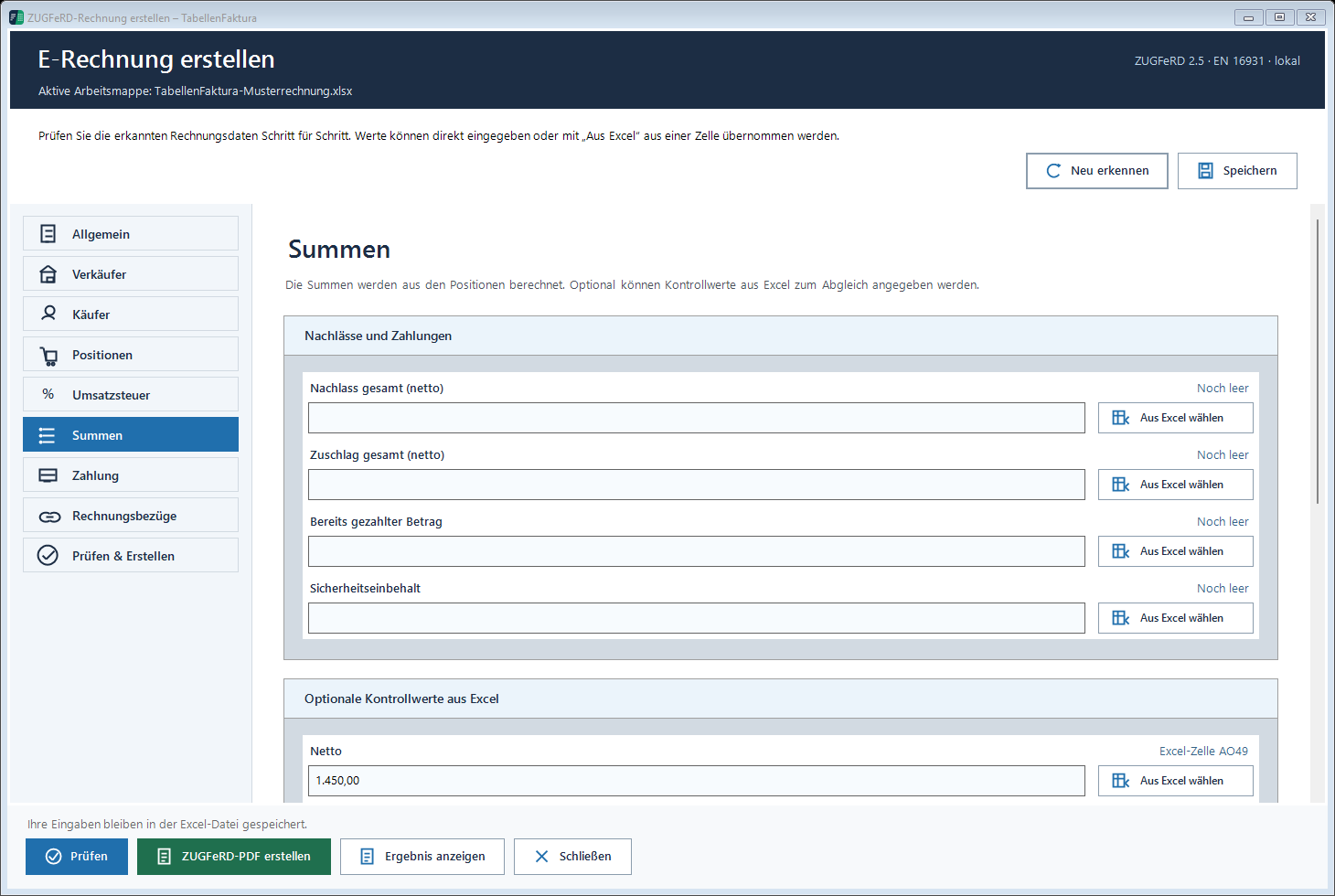
The recording shows the separate fields with pattern values. The control value "for payout, is to be compared with the current payout amount in this process. If the Excel cell is assigned to 8.330,00 Euro instead, a difference of 595,00 Euro is created. This difference is not a rounding error, but a confusion of two amounts.
How the retention in the generated invoice appears
TabellenFaktura keeps the open amount and the current payout separate. In the described function, the security retention is issued with the current payout as supplementary billing information. It is not relabelled as paid amount. The structured open amount remains in the example 8.330,00 Euro.
This distinction is also important for the recipient. The processing must be able to take into account the additional information for retention. Therefore, in the case of the corresponding clients, clarify the required presentation and the way of transmission in advance. Technical validation alone does not guarantee that each recipient system processes the additional payment information automatically.
The separate amounts must also be read in the PDF. To supplement the XML dataset only, while the visible Excel print image requires a different payment, would be contradictory. After each adjustment, control the template and the generated file together.
Avoiding Four Typical Interferences
- Retention as discount: A discount reduces the price; the retention described here concerns the current payout.
- Retention as payment: A retained amount is not a cash received.
- Double deduction: An amount already deducted in a Excel payment shall not be included as a second independent reduction.
- Wrong control value: Do not put open amount and current payout in the same comparison field.
The retention in the application must not be negative and must not exceed the open invoice amount. Such an error message is an occasion to check the amount and assignment. By removing a control value the technical cause would not be fixed.
A complete settlement remains necessary
The field shows the retention, but does not carry out a complete contract or construction statement with all deductions, securities and subsequent clearances. Likewise, the journal does not determine any payment receipts. In the case of several invoices, the complete settlement must remain separately comprehensible.
The documentation on special cases and the contribution Interim and final invoices from Excel The following technical preparation and result control procedures shall apply: Creating ZUGFeRD invoices with Excel.
Described function state: TabellenFaktura 1.6.8. Illustrations contain example information; recordings of previous program states are marked.
Frequently asked questions
Is a safety deposit a discount?
The retention reduces the current payment, while the billed benefit and the invoice amount remain separate from it.
Where is the retention recorded?
Amounts already paid are included in another field.
Which Excel value is used for payout control?
The current payment amount after the retention. In the example, the amount is the 7.735,00 Euro, not the open amount of 8.330,00 Euro.
Is the retention spent as an amount already paid?
No. The open amount remains separate; retention and current payout are described in addition. The presentation in the recipient system must fit.
Does TabellenFaktura automatically manage the subsequent release of the retention?
The described process is not a complete contract or payment management. Later clearances and payment receipts must be tracked in the respective billing process.