


A project is paid in several stages. Two interim invoices are paid, the performance is completed and now the final invoice follows. In Excel the balance can be calculated quickly. However, for an e-invoice total performance, already received payments and the remaining receivable must be clearly recognizable in the structured data.
The final invoice clearly presents the total services billed and the partial payments to be credited. In the example shown here, the structured data contains the full invoice amount including VAT, the gross amount already paid and the remaining amount due. A payment overview assigns the interim payments to invoice references, net amounts and tax. A single ‘already paid’ field does not replace this overview.
Distinguish interim invoices, partial invoices and final invoices
For a clean template, it is first necessary to clarify what is settled with a document. The terms are not always used uniformly in everyday life. A discount requirement for a total service and the final settlement of a actually separate partial service are different processes. The decisive factor is contract, performance and tax classification.
| Evidence | Key question | Meaning for the subsequent settlement |
|---|---|---|
| interim invoice | Is a payment requested for the agreed total benefit? | track the invoice and actual receipt of payment separately. |
| Invoice for a partial benefit | Is a partial benefit calculated independently completed? | A subsequent overall overview may not recalculate the same turnover unchecked. |
| final invoice | What is the total amount of the payment and which payments are to be settled? | Merge the total statement, the balance sheet and the open claim. |
The following case deals exclusively with a total benefit with two fully paid deductions. All amounts are fictitious. It applies continuously 19 percent VAT; there is no discount or discount, no security retention or a change of tax rate.
Example of calculation: 20.000 Euro net, two partial payments
The total amount of the project is calculated net for a project performance of EUR 20.000,00. The first discount is EUR 5.000,00 net, the second EUR 7.000,00 net. Both invoices were paid in full including EUR VAT. The total amount of the project is settled after completion.
| Process | Net total | VAT 19 % | Gross total |
|---|---|---|---|
| 1. Discount, AR-2026-011, fully paid | 5.000,00 € | 950,00 € | 5.950,00 € |
| 2. Discount, AR-2026-018, fully paid | 7.000,00 € | 1.330,00 € | 8.330,00 € |
| Total reductions received | 12.000,00 € | 2.280,00 € | 14.280,00 € |
The invoice summary alone is not sufficient for the assignment. Each deduction includes actual payment receipts. A practical worksheet therefore contains invoice number, invoice date, agreed amount, payment date, received amount and, if necessary, an open difference. In the example, the invoice amount and payment are agreed.
Thus the remaining amount of the payment becomes comprehensible
The final invoice shows the complete output with 20.000,00 Euro net. Added to this is 3.800,00 Euro VAT. This results in a gross invoice of 23.800,00 Euro. Then the received deductions of 14.280,00 Euro brutto are taken into account. There remain 9.520,00 Euro.
| Settlement | Net share | VAT | Gross amount |
|---|---|---|---|
| Total performance | 20.000,00 € | 3.800,00 € | 23.800,00 € |
| Less deductions received | 12.000,00 € | 2.280,00 € | 14.280,00 € |
| Remaining | 8.000,00 € | 1.520,00 € | 9.520,00 € |
The last line explains the remaining shares. It is not a second invoice for a new turnover in the model chosen here. Those who reduce the total performance again by the same deductions as negative positions and additionally pay the amount paid would deduct twice.
The tax representation must be based in particular on the deduction of partial charges and the tax which is levied on them. BMF explains for final accountsThe following is a list of the items that may be deducted from the consolidated unstructured notes if the structured part of the invoice explicitly refers to this annex. According to the FAQ, this rule can also be applied beyond the 31 December 2027.
Such an attachment must be clearly assigned to the specific document. A possible indication to be adapted to the respective case is: "The received deductions and the resulting VAT are listed in the attached tee list to final invoice SR-2026-024. Whether the selected output form transports all the required information correctly must be checked on the finished document.
Total amount, payment and balance in the e-invoice
The visible payment overview and the sums in the structured data set perform different tasks. For the automated payment run, it must be particularly evident that already 14.280,00 Euro have been received. Otherwise, the receiving system could treat the full gross amount as still open.
| Meaning | Field after EN 16931 | Value in the example |
|---|---|---|
| Amount of invoice without VAT | BT-109 | 20.000,00 € |
| VAT amount | BT-110 | 3.800,00 € |
| Invoicing amount including VAT | BT-112 | 23.800,00 € |
| Amount already paid | BT-113 | 14.280,00 € |
| Number of cases | BT-115 | 9.520,00 € |
The EN-16931 rule BR-CO-16 link the invoice amount including VAT, the amount already paid, an existing rounding amount and the amount due. Without a separate rounding amount, the following applies: 23.800,00 € − 14.280,00 € = 9.520,00 €.
The linked technical documentation shows the UBL implementation of this rule. ZUGFeRD shows the same technical terms in CII. The field identifiers help to compare with a data view; they do not have to appear as labels on a customer invoice.
Build the Excel template in four areas
Clear separation facilitates control: firstly, the performance of the general statement, secondly, the net and tax amounts, thirdly, the payments received and fourthly, the open amount. A line with "already paid" does not automatically belong in the area of performance.
For the simple example, you can create your own sum sheet. The formulas apply exclusively to the described case with a tax rate and without any additional surcharges or discounts.
| Cell | Contents | Value or formula | Result |
|---|---|---|---|
| B2 | Total net output | 20000 | 20.000,00 € |
| B3 | VATset | 19% | 19 % |
| B4 | VAT | =RUNDEN(B2*B3;2) | 3.800,00 € |
| B5 | Invoices | =SUMME(B2;B4) | 23.800,00 € |
| B7 and B8 | Payments received brutto | 5950 and 8330 | 14.280,00 € together |
| B9 | Already paid | =SUMME(B7:B8) | 14.280,00 € |
| B10 | To be paid | =RUNDEN(B5-B9;2) | 9.520,00 € |
The documentation on ROUNDS in Excel The cell references must fit the actual structure when they are transferred to an existing template. A result without reference to the performance positions is only a calculation example and not yet a complete calculation.
What changes in open or different tees?
interim invoice but not paid: In "already paid, no fictitious receipt is required. The coordination between open claim and final invoice must prevent the same claim being double-tracked in the payment or payment process. This requires a coordinated booking and supporting process.
Only one component received: The actual amount received is decisive for the payment entry. The reason for payment and the assignment to the deduction must remain comprehensible. A difference may, for example, be due to an agreed deduction or an outstanding amount; both must not be treated tacitly.
Discount, retention or other rate: The simple example is not enough. A security retention is not a payment received. An agreed price reduction is to be treated differently from a payment receipt. In case of several tax rates, the services and discounts must also be allocated separately.
Overpayment: If payments are made above the final invoiced claim, another settlement case arises. A negative balance should not be set unchecked to zero. Refund, settlement and required supporting documents must be clarified professionally.
Checklist before creating ZUGFeRD or XRechnung
- Scope of services: Are the positions of the total actual benefit calculated?
- Method of invoice: Is the final invoice as such recognisable and correctly classified?
- Balance sheet: Is it possible to understand the receipts, receipts and tax components?
- No double deductions: Are payments not additionally deducted as a discount or a negative benefit position?
- Structured sums: Are the example 23.800,00 Euro brutto, 14.280,00 Euro already paid and 9.520,00 Euro open in the right fields?
- Installation reference: Is a haircut table included and clearly referenced in the structured part?
- Result: Do technical inspection, invoice picture and data view fit together?
The basic differences between the output formats describes ZUGFeRD or XRechnung. Typical technical problems are the following: Error help for ZUGFeRD calculations from Excel Ready.
Prepare tees and final invoice with TabellenFaktura
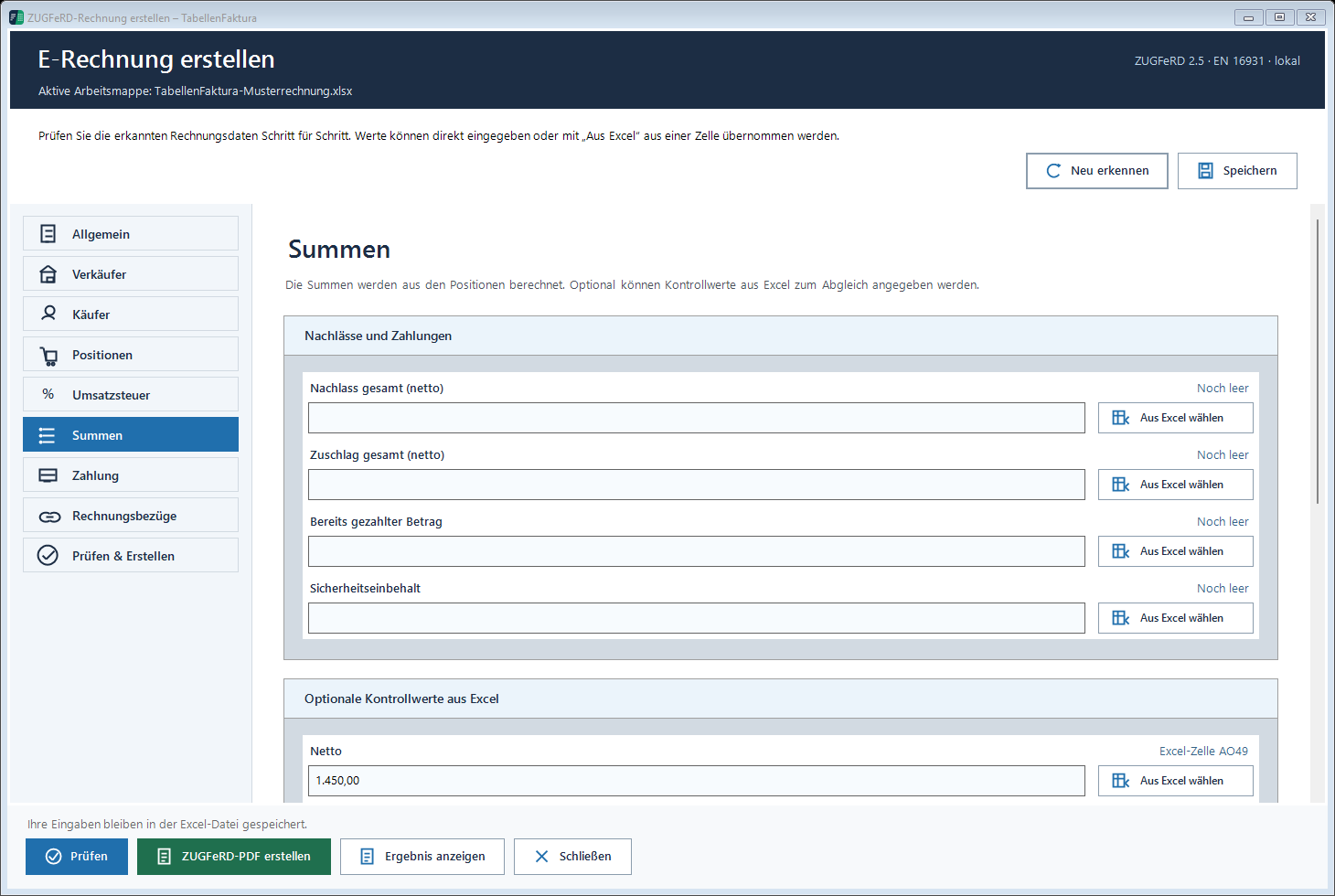
TabellenFaktura provides billing types for deductions and final invoices and a separate field "Bereits paid amount. This can be assigned to a cell of the Excel template. The preview distinguishes total amount, already paid amount and open amount. Invoice receipts can also be recorded.
For the example, the cell is assigned with 14.280,00 Euro to the amount already paid. The performance positions continue to represent the total performance. The required haircut, their tax allocation and any necessary investment advice remain to be checked separately. The presence of a payment field does not yet prove that every complex final invoice case is automatically mapped.
The feature overview shows the general procedure in Excel. A suitable basis for the setup also provides the instruction Create e-invoice from an existing Excel template.
As of 23 September 2026. Sources consulted: B-Fq to e-invoice, in particular to final calculationsThe EN-16931 rule on the amount of the payment and Microsoft Documentation to ROUNDThe example explains data and calculation method; the classification of concrete contractual, construction or tax cases requires a separate examination.
Frequently asked questions
Can interim invoices be created as ZUGFeRD or XRechnung?
The formats can represent such invoicing cases. The prerequisite is that the billing type, details and profile used fit the specific process and the software used supports the required case.
What amount is included in the field ‘Bereits paid?
In the final invoice model shown, the sum of the gross payments actually received is shown. In the example, the 5.950,00 Euro plus 8.330,00 Euro, together with 14.280,00 Euro. An invoice issued only is not yet a receipt of payment.
Why does the invoice break remain at 23.800 Euro despite discounts?
The example calculates the total benefit. Payments received reduce the open amount from 23.800,00 Euro to 9.520,00 Euro. They are not deducted from the total benefit as additional discounts.
Is a single payment amount sufficient for a complete final invoice?
The total value explains the open amount, but not the individual deductions and their tax components. A comprehensible accounting additionally requires the corresponding remuneration and the necessary breakdown.
Can the haircut table be attached as an annex?
The BMF shall allow the deduction of partial charges collected in the case of an electronic final invoice in an attached unstructured annex if the structured part expressly indicates this. The annex must be clearly assigned to the specific case of the invoice.
Can security retention be easily recorded as already paid?
A retained amount is not a receipt of payment. Retention, discount and other deductions require a separate professional classification. The simple example with two fully paid deductions does not cover these cases.
Are the Excel formulas a complete invoice template?
The formulas show the sum calculation for the described example process. For a finished e-invoice complete stakeholder and performance data, suitable assignments, invoices as well as technical and technical examination are required.