


For ordinary invoices, German VAT law specifies the supplier’s tax number or VAT ID. These identifiers belong in different data fields.
Older invoice templates often show several identifiers together: a tax number, VAT ID, commercial register number and internal customer number. A person may understand the context, but an e-invoice needs the right meaning in the appropriate field. Repeating one available number in several fields does not improve the invoice.
Distinguishing a tax number from a VAT ID
The competent tax office assigns the tax number. Germany’s Federal Central Tax Office assigns the German VAT identification number. For an ordinary invoice, section 14(4)(2) of the German VAT Act generally requires one of these supplier identifiers. Using ZUGFeRD or XRechnung does not by itself create a general requirement to apply for an additional VAT ID.
Special transactions are subject to additional rules. Cross-border supplies in particular can require further identification details. This article explains mapping for an ordinary domestic invoicing workflow. Whether an identifier is required for an actual supply depends on its tax treatment. Fields should not be chosen merely to obtain a successful validation result quickly.
Which other numbers are not substitutes
| Detail | Meaning | Typical mistake |
|---|---|---|
| Tax number | Tax office identifier | Entering it as a VAT ID |
| VAT ID | VAT identification | Wrong business or missing country prefix |
| Commercial register number | Register entry | Treating it as a tax number |
| Leitweg ID | Routing in public-sector invoicing | Using it as the supplier tax number |
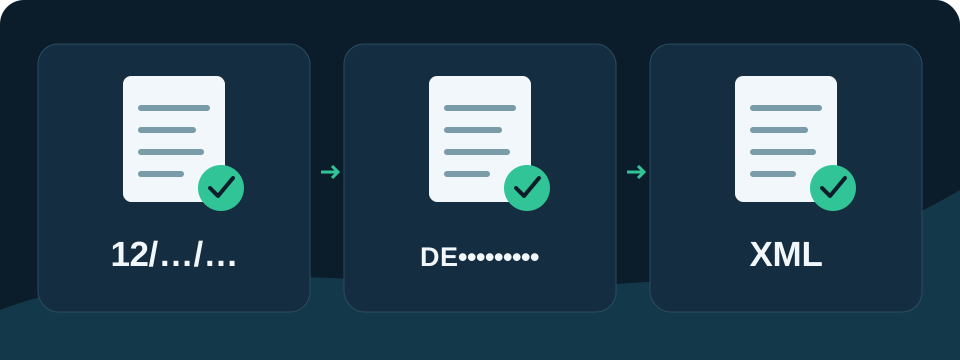
A natural person’s personal tax identification number should not simply be equated with the business tax number. A general supplier identifier can also serve a different purpose from a tax field. Current format rules determine which identifiers a format requires or permits as alternatives. The tax information must still be correct in its own right.
Example: a number appears only in stationery
A workshop uses an Excel template with a logo and scanned footer. The tax number is clearly visible in the footer, but the cell mapped as the tax number is empty. The extractable value is therefore missing when the e-invoice is generated. The issue is the data source rather than the font size on the stationery.
The solution is an actual cell value or explicitly entered supplier detail. Treat the identifier as text to preserve leading zeros and its intended notation. A demonstration code cannot replace the identifier actually assigned to the business. Confirm the responsible business and the source of the information before transferring it.
Setting up supplier details in TabellenFaktura
In template mapping , connect the available supplier data to the corresponding fields. Then check in the assistant that the tax number and VAT ID each appear in the correct field. Review register information separately. The invoice section documentation explains how general invoice and supplier details fit together.
If validation reports missing supplier identification, read the exact message first. A general identifier and a tax identifier may satisfy different validation conditions. An invented value or a customer number copied into a tax field does not solve the underlying issue. Repeat the preliminary check and check the generated file after correction.
Handling changes to business details
When a business name, legal form or tax registration changes, updating visible text is only part of the task. Check mapped cells and stored supplier details as well. Preserve invoices already issued as originals and use an updated template copy for the next invoice. The article on changes to an Excel template helps with follow-up checks.
Typical error: a sample identifier is left in place
Downloaded templates sometimes contain sample data. Check every supplier detail before issuing a real invoice and replace it with the business’s actual information. Include hidden mapping cells and cells outside the print area. A correct identifier in the visible header is of little use if the structured invoice still imports another sample identifier.
Sources and editorial reference date
Editorial reference date: 9 November 2026. This article explains general invoicing matters in Germany. Appropriate treatment depends on the actual transaction.
An existing Excel template can be configured for structured invoicing with TabellenFaktura. Getting started and current terms are available under Pricing and order.
Frequently asked questions
Does every ZUGFeRD invoice require a VAT ID?
No. For an ordinary invoice, section 14(4)(2) specifies a tax number or VAT ID. Special transactions and technical format requirements need separate assessment.
Can a tax number go in the VAT ID field?
No. The identifiers have different meanings and belong in their respective data fields.
Is a tax number in scanned stationery sufficient?
Data transfer also requires an extractable or explicitly entered value in the appropriate invoice field.
Is a Leitweg-ID a supplier tax identifier?
No. It supports routing in public-sector invoice processing and does not replace supplier tax details.