

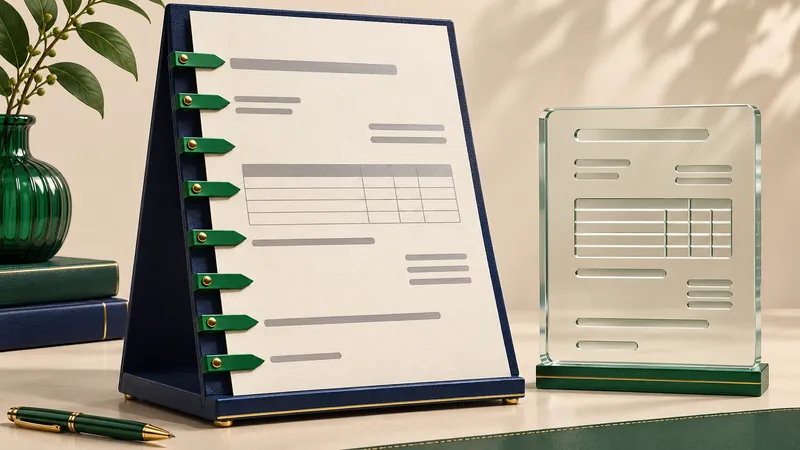
Mandatory details need to reach the structured part of an e-invoice. A complete visual invoice alone does not achieve this.
An existing Excel invoice often already contains names, prices and tax amounts. Yet a detail can still go missing when creating ZUGFeRD or XRechnung: it may be part of the stationery, an unmapped cell or an extra PDF. What appears on paper is only one part of the process. The data must also be transferred correctly.
Which details normally belong on an invoice?
For an ordinary invoice, section 14(4) of the German VAT Act specifies the full names and addresses of both parties, the supplier’s tax number or VAT identification number, the issue date and a unique invoice number. Details of the goods or services, the supply date, consideration and VAT also belong on the invoice. Particular transactions can require additional information.
- Parties: correct business name, full address and actual invoice recipient.
- Document: invoice number, issue date and delivery or service date.
- Supply: identifiable description, quantity or scope and consideration.
- Tax: appropriate treatment, breakdown and any necessary exemption statement.
This overview concerns an ordinary invoice. Small-value invoices, small-business VAT rules and special tax situations have their own provisions. A particular e-invoice format can also require more than this basic tax list. A receiving portal may expect a buyer reference or electronic address, for example. Its current requirements should be established before the first submission.
Why stationery does not replace field mapping
The Federal Ministry of Finance explains that mandatory VAT information generally needs to be contained in the structured part of an e-invoice. A business name displayed as an image in Excel may complete the visual page, but it does not provide an extractable supplier name. The same applies to a tax number in scanned stationery. Mapping requires actual values or explicitly entered details.
For ZUGFeRD, check both the visual invoice and its embedded XML. With XRechnung, the XML itself is the invoice. An additional PDF can help with review, but cannot replace missing XML fields. Simply exporting a spreadsheet to PDF therefore does not create a structured e-invoice.
Excel example: maintenance with two line items
This fictional example assumes an ordinary domestic transaction taxed at 19%. Two hours of maintenance at EUR 90 each amount to EUR 180 net. A replacement part costs EUR 40 net. The result is EUR 220 net, EUR 41.80 VAT and EUR 261.80 gross. These amounts must agree with the imported line items as well as the totals shown on the page.
| Detail | Example | Check |
|---|---|---|
| Service date | 10.11.2026 | Do not confuse with payment due date |
| Net line items | EUR 180.00 + EUR 40.00 | Map quantities and unit prices |
| VAT | EUR 41.80 | Check rate and category |
| Gross total | EUR 261.80 | Compare invoice and XML |
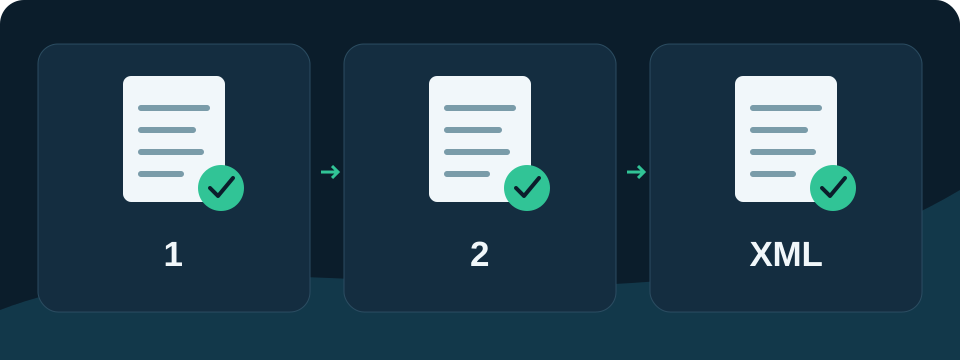
Checking the details in TabellenFaktura
Start by preparing a working copy of the template. Connect the supplier, buyer, document, item and total fields using the field mapping guide . Then inspect the actual imported values in the invoice assistant. Pay particular attention to details previously shown only in stationery. Choosing a neighbouring cell that looks similar is not a reliable shortcut.
After creating the output, complete the technical check and factual comparison. Are the parties correct? Is the supply identifiable? Are the date and tax treatment appropriate? The guide to ZUGFeRD from Excelexplains the workflow. Recheck affected mappings after changing the template. Passing a format check alone does not answer these factual questions.
Typical error: the total agrees but the source is wrong
A manually entered gross total can happen to match the displayed items while mapping reads different price or quantity cells. The structured document can then differ. Compare more than the final total: trace at least one complete item from the Excel row to the generated invoice.
Sources and editorial reference date
Editorial reference date: 9 November 2026. This article explains general invoicing matters in Germany. Appropriate treatment depends on the actual transaction.
An existing Excel template can be configured for structured invoicing with TabellenFaktura. Getting started and current terms are available under Pricing and order.
Frequently asked questions
Do mandatory details also need to be in the XML?
Mandatory VAT details generally belong in the structured part of an e-invoice. Visible PDF text or an attachment is not a general substitute.
Is an IBAN always a mandatory tax detail?
An IBAN is not part of the general list in section 14(4) of the German VAT Act. Payment method, format and recipient requirements can nevertheless require payment details.
Is Excel PDF export sufficient?
An ordinary PDF export does not contain the required structured invoice data. ZUGFeRD needs suitable embedded XML, while XRechnung uses the corresponding XML file.
Does the list cover every special situation?
No. Simplifications and additional requirements depend on the invoice and tax situation. The general checklist is a starting point for classification.