Reuse customer details
Save customer details and insert them into your mapped invoice fields, so you do not have to enter recurring information each time.


Write your invoice using your familiar Excel template. TabellenFaktura reads the mapped details, guides you through the checks and creates a ZUGFeRD or XRechnung invoice.
Current version 1.6.20
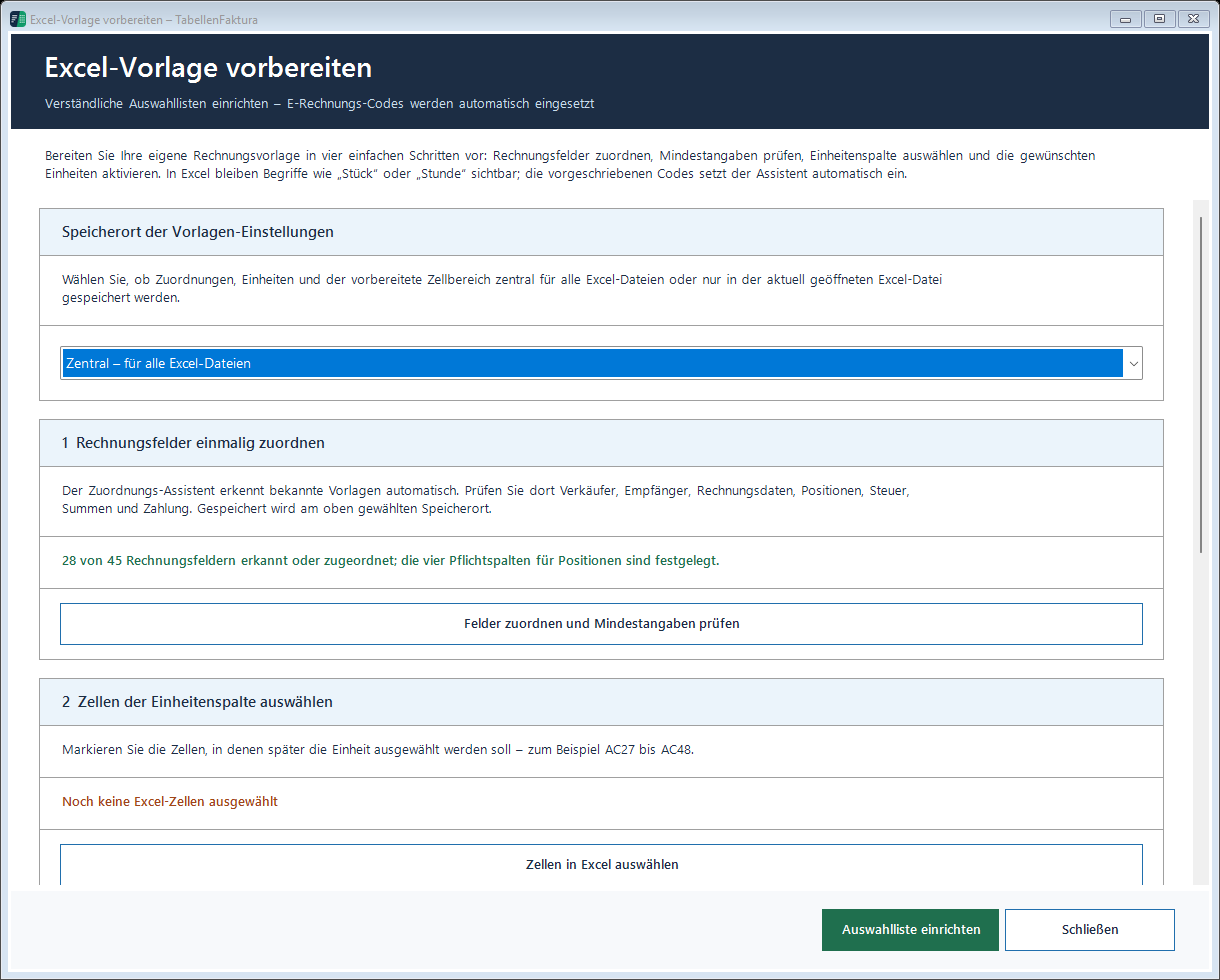
Connect the invoice number, date, seller and buyer to the relevant workbook cells. Then select the rows and columns used for your line items. Reuse this mapping for your next invoice.
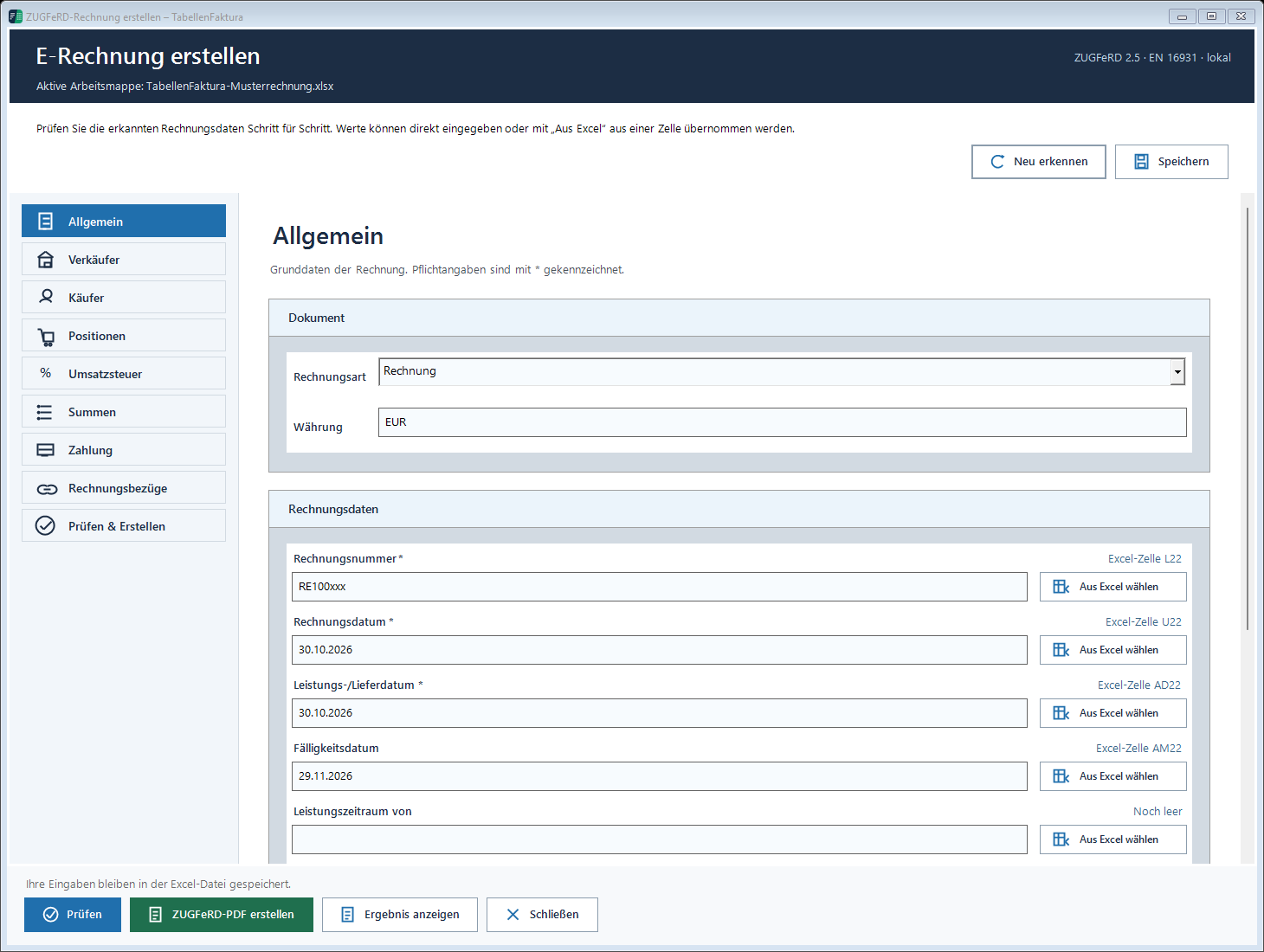
The assistant organises your details into clear sections: invoice details, seller, buyer, line items, taxes, totals and payment. Complete missing values and review the preliminary checks, then create your chosen invoice file.
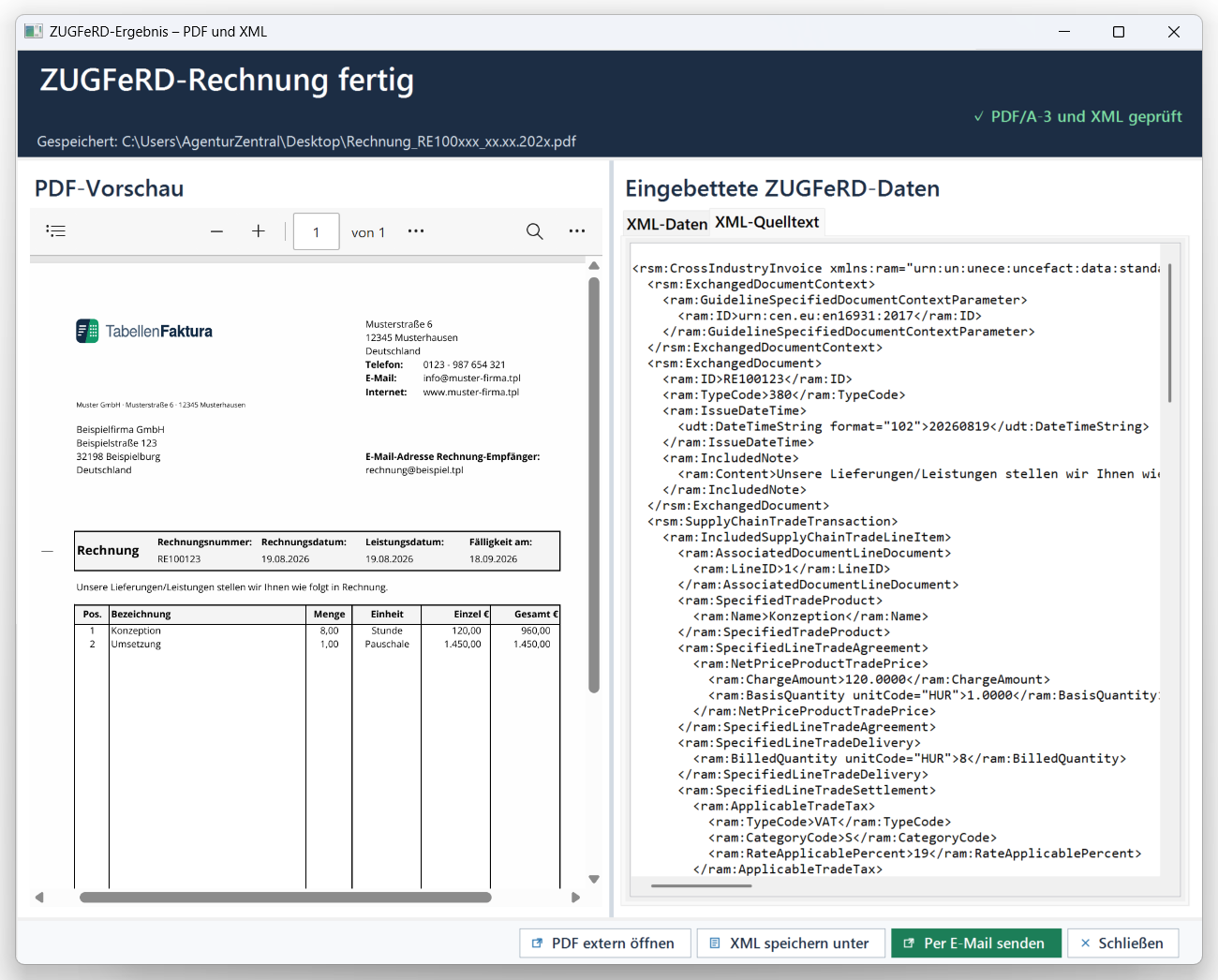
In the result view, review the finished PDF and its embedded invoice data. Open the file externally if needed or prepare an email draft with the invoice. The message remains open in Outlook for you to review before sending.
Save customer details and insert them into your mapped invoice fields, so you do not have to enter recurring information each time.
Manage invoice numbers and keep track of created invoices in the journal. Reopen the associated invoice files from there.
Record advance payments, interim and final invoices and references to earlier invoices. The assistant brings these details together in the relevant invoice sections.
Set the due date, bank details, payment reference and agreed early-payment discount. Optionally include an EPC payment QR code in the ZUGFeRD PDF.
Back up settings, customer details and the journal. Include the associated invoice files in a complete backup.
Prepare subject lines and messages using placeholders and choose your Outlook account and signature. The finished draft remains editable before sending.
A Windows PC with Microsoft Excel 2016 or newer. TabellenFaktura supports 32-bit and 64-bit Excel.
The integrated PDF preview uses Microsoft Edge WebView2. Automatically prepared email drafts require classic Outlook for Windows.
The licence covers one PC. Internet access is needed for initial activation, subsequent licence checks and downloads.