

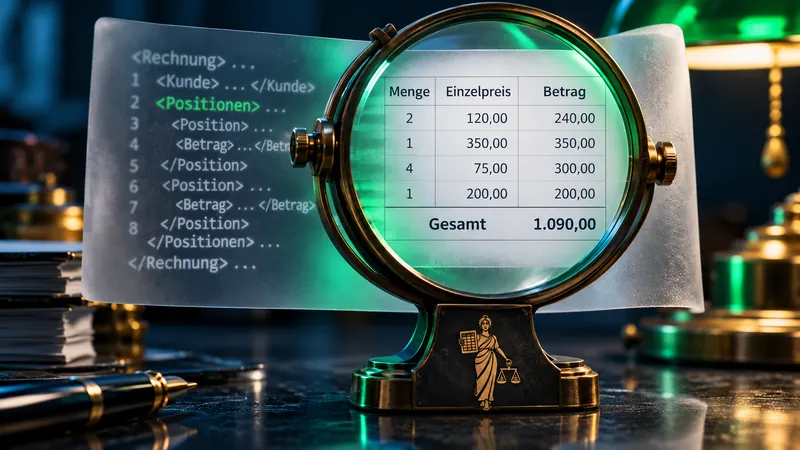
The invoice is sent by email. Instead of a familiar PDF, an XML file is in the attachment. When double-clicking, sharp brackets, English field names and numbers appear. This initially acts like a technical error. In a XRechnung exactly this structured form is provided. A suitable viewer makes a comprehensible view of this – and at the same time opens a more accurate examination than a mere glance at an invoice image.
A XRechnung can be displayed as a readable invoice with an e-invoicesviewer. A text editor, on the other hand, mainly shows the XML structure. For technical testing, a validation is required. The received XML file remains the original; an resulting PDF view is an additional read version. KoSIT documentation for visualization expressly explains this separation.
XML, XRechnung, ZUGFeRD or PDF: Which file is available?
The file extension provides a first hint, but not yet a reliable format check. XML is a general language for structured data. Orders, product lists and configuration files can also be used on .xml Only the content shows whether the file contains an invoice and which rules it follows.
The special feature of ZUGFeRD is a PDF document: In addition to the visible invoice, it contains structured XML invoice data. Format description of the Forum electronic invoice Germany uses ZUGFeRD for PDF/A-3 and CII-XML. Any XML device does not make any PDF ajust ZUGFeRD invoice.
| File | What becomes visible when opened | Matching Next Step |
|---|---|---|
| XRechnung as XML | Structured fields, often used as source code in the text editor. | Display billing data with a compatible viewer and separately validate. |
| ZUGFeRD as PDF | A readable invoice image; XML data are additionally embedded. | With a ZUGFeRD-enabled tool also display the structured content. |
| Common PDF | A bill picture, if any, with a searchable text. | Check whether structured billing data are included. |
| Unknown XML file | Any data structure or error message. | The end of the file is not sufficient for the assignment. |
Rename an XML invoice, for example from rechnung.xml in rechnung.pdf, does not change the content. Also, opening in Excel does not create a reliable billing view: A general XML import does not automatically know the technical meaning of tax groups, discounts or payment amounts.
The basic format selection is covered by the contribution ZUGFeRD or XRechnung: A direct comparison. For the receipt of invoices, it is important that the tool used understands the actual file received.
Open XRechnung: Which viewer are eligible?
A e-invoicesviewer assigns the structured data to understandable terms. Technical fields are used, for example, to calculate the invoice number, supplier, date of performance, net amount and payment target. The design may be different from the original presentation of the invoicer. The content displayed in full and correctly is decisive.
For the occasional entrance: ELSTER
The e-invoicesviewer of the financial management offers a publicly available file selection for displaying e-invoices. The page describes the offer as a non-binding service. Therefore, displaying a file is not equivalent to tax recognition or payment release.
For recurring processes: local software
A local viewer can be useful when regularly receiving confidential invoices. When selecting, supported formats, a full field view, updates and a clearly identifiable separation between display and validation report count.
For several processors: Invoicing system
In joint processing, status, responsibility and clearance are also important. An existing accounting or document system can merge these tasks, provided that the concrete version supports structured invoices.
For technical integration: KoSIT
The CoSIT visualization components can process UBL and CII invoice data for HTML and PDF views. They are technical components for software solutions and require a corresponding integration.
A practical process starts with saving the received file. Then, the selection in the viewer and the control of the most important information is followed. For a query, original file and error message should remain together. If you regularly maintain the same suppliers, you can organize these steps in a fixed invoice receipt.
Displays, validation and technical testing are three different tasks
A clear view is helpful. Whether the file is built in accordance with the rules does not result from this. Nor does a technical release answer the question whether the hours actually paid have been done. A reliable receipt of invoices therefore needs several audit perspectives.
| Test level | Question answered | Example | Limit |
|---|---|---|---|
| Visualisation | What data does the file contain? | The viewer shows 520,00 euro net and a performance period. | A readable display does not yet demonstrate full format conformity. |
| Technical validation | Do the structure and data match the selected rules? | A rule of sum recognizes a contradictory gross amount. | The report does not confirm the actual delivery or the correct bank details. |
| Technical examination | Does the claim fit the business process? | The performance, price, recipient and payments already made are checked. | A technically plausible content can nevertheless contain a technical format error. |
The KoSIT Validator shows how the technical level works: Detect format, check XML schema and business rules, then create a report and an evaluation. The corresponding verification configuration determines which rules are applied. A result is therefore only meaningful together with format, configuration and their status.
For everyday life, this means that a green result should be understood as "consisting of testing according to these rules. An internally released payment additionally requires that the invoice fits the order. This distinction prevents both blind trust in a test seal and unnecessary queries due to purely optical differences.
A numerical example: From XML fields to understandable calculation
A fictitious service provider calculates five hours of setup at each of the Euros 80,00 and a documentation fee of 120,00 Euro. The example is uniformly 19 Percent VAT. Already paid 119,00 Euro brutto. Discounts, discount and additional rounding amounts do not occur.
The amounts in UBL
<cbc:TaxExclusiveAmount
  currencyID="EUR">520.00
</cbc:TaxExclusiveAmount>

<cbc:TaxInclusiveAmount
  currencyID="EUR">618.80
</cbc:TaxInclusiveAmount>

<cbc:PrepaidAmount
  currencyID="EUR">119.00
</cbc:PrepaidAmount>

<cbc:PayableAmount
  currencyID="EUR">499.80
</cbc:PayableAmount>Calculation RE-2026-042
Fictional service provider · 07.09.2026
- Configuration: 5 × 80,00 €
- 400,00 €
- Documentation
- 120,00 €
- Net amount
- 520,00 €
- VAT 19 %
- 98,80 €
- Amount of invoice
- 618,80 €
- Already paid
- −119,00 €
- To be paid
- 499,80 €
The field names explain an important difference: the total invoice amount including VAT and the outstanding payment amount may differ. If you only take the largest or visually highlighted amount, you may miss a payment already made.
These relationships are backed by concrete business rules: BR-CO-15 the total net amount, VAT and the total gross amount. BR-CO-16 The rules are part of the technical accounting model and are not freely chosen accounting conventions of the viewer.
Practical example: The viewer shows EUR 628.80 including VAT. What stands out?
If the net amount of EUR 520.00 and VAT of EUR 98.80 are unchanged, the gross amount must be EUR 618.80. The difference of EUR 10.00 cannot be explained by the payment already made. Check the complete data set and validation report. Where necessary, request a correction from the issuer.
Read ZUGFeRD: Why the visible PDF page alone is not enough
A ZUGFeRD file can look like any other PDF invoice at first sight. A conventional PDF reader shows the invoice image without necessarily evaluating the embedded XML fields. This leaves a possible deviation between both representations undetected.
The B-Fq for e-invoice, question 12a, the structured part of a hybrid e-invoice is authoritative. The ministry therefore recommends independently visualising the XML data. If the values conflict, clarify the discrepancy with the issuer. Simply choosing the more favourable amount does not resolve it.
Difference: EUR 10.00. Both values relate to the same total amount. A question is required.
Before a complaint is made, it must be established that the same field is actually compared. Invoicing amount and payment amount are not exactly the same in the previous example. Also, a net value cannot be compared with a gross value. Good viewer clearly designates these amounts and shows the corresponding currency.
The structure of the hybrid format is explained by the article Create ZUGFeRD invoice: format, example and check.
XML invoice cannot be opened: typical causes and next steps
An error message may have several causes. The file may be corrupt, contain another format or not yet supported by the software used. A failed display alone is therefore not sufficient to determine that the invoice is altogether useless.
| Observation | Possible cause | A meaningful next step |
|---|---|---|
| It only appears source code. | The file was opened in a general text program. | Open with an e-invoicesviewer; leave the file unchanged. |
| "Format not supported, | Viewer and file format do not match. | Check supported syntax and version, update if necessary. |
| Error with line and character position | XML is incomplete or syntactically damaged. | Re-source the original file from the exhibitor. |
| Invoice is displayed, validation fails. | Mandatory field, code or business rule is violated. | Hold rule number and error message along with the format. |
| Technically valid, amount still unplausible | Price, quantity or transaction has been misrecognised. | Match with order, performance and previous payments. |
| PDF readable, XML not findable | Common PDF or inappropriate display for embedded data. | Check the actual content with a ZUGFeRD-enabled tool. |
A specific request can be processed faster than "The invoice is not possible. Helpful are invoice number, date of receipt, program used, exact notification and if necessary the rule concerned. Confidential original files belong exclusively to the authorized recipient via the agreed contact path.
For example, a useful message may read: "To the invoice RE-2026-042 the technical examination reports a contradiction between net, tax and gross total amount. Shown are 520,00 Euro net, 98,80 Euro tax and 628,80 Euro brutto. Please for examination and corrected invoice file., that designates the finding without independently rewriting the original receipt.
Local viewer or online service: What counts for billing data
Invoices often contain more than one final sum: contact details, bank details, internal project names, performance details and contract receipts. When selecting a viewer, it is therefore worth asking where this content is processed and who can access it.
"In the browser, the user interface is described first. A browser tool can process a file locally or transfer it to a server. Also installed software can use additional services on the network. Therefore, a reliable classification needs concrete information from the provider for data processing. The mere name of the tool or a lock next to the web address does not answer this question.
- Place of processing: Is the evaluation done on your own device or on an external server?
- Storage: Are files or content stored, and how are deletion and access regulated?
- Functional functions: Are only selected fields displayed or complete billing data including attachments supported?
- Test bench: Is it possible to identify which formats and validation rules are supported?
- Suitable for everyday use: Do originals, queries and editing status remain uniquely identifiable?
For an initial function test, public sample files of the standard editor or artificial sample data are suitable. This allows us to assess whether sums, tax groups and references appear understandable before real business documents are processed. Further considerations on the transfer of invoice contents are included in the contribution Convert Excel with AI to e-invoice.
Convert XML to PDF: practical for reading, limited as a document store
An additional PDF view can help with internal discussion, printing or commenting. It should retain a clear reference to the original calculation. However, a subsequent visualization does not replace the received structured data set.
Page 3 § 14b UStG the standard retention period for VAT purposes is eight years from the end of the year of issue. An invoice issued in 2026 must therefore generally be retained until the end of 2034. Longer requirements or ongoing proceedings must also be considered. The B-Mf-FAQ, question 13, requires at least the intact preservation of the structured part in its original form at e-invoices.
RE-2026-042.xmlOriginal receivedRE-2026-042-lesefassung.pdfAdditional viewRE-2026-042-pruefbericht.htmlTechnical test report, where producedRE-2026-042-freigabeInternal proof of processing
This presentation is an organizational example and no assurance that a folder alone meets all storage requirements. Access protection, protection against unnoticed changes, backup and retraceability are part of the actual procedure. In ZUGFeRD, maintaining the fully received PDF file provides a practical way to keep image part and embedded data together.
In the case of e-mail receipts, it is also necessary to distinguish between the message as a means of transport and additional information subject to storage. Description of the ZUGFeRD storagethat a mere transport mail is fundamentally different from a message with additional relevant information.
What results for the creation with TabellenFaktura
A clean receipt of invoices starts already with the exhibitor. If the structured data is checked before dispatch, avoidable queries about missing information, wrong sums or different representations can be reduced.
TabellenFaktura starts with the creation from Excel: Billing fields are assigned, data is controlled in a preview and ZUGFeRD or XRechnung locally generated and technically checked. The practical reference to this article is thus the control of the own initial invoice. The display of received third party invoices is a separate task for which the viewer described above is eligible.
Before shipping, the same look as with the recipient is worth it: Are services and invoicing partners unique? Do visible and structured amounts fit together? Is the amount actually payable understandable? Are the necessary references included? These questions make a technically generated file a well-usable invoice in everyday business.
The Practical Guide to the Creation of XRechnung describes the starting page in detail. The current function range is on the Function side of TabellenFaktura.
Checklist: Prepare a received e-invoice for editing
File and display
- Received original secured.
- Recognized billing format and Viewer suitable.
- Account data including tax and payment details readable.
- The embedded data is also taken into account in ZUGFeRD.
Testing and operation
- Technical reports are tracked.
- Supplier, recipient and performance assigned to the order.
- Price, quantity, tax case and advance payments.
- Release or request documented.
A XRechnung is accessible through its legible representation. The use of it is reliable by connecting it with appropriate display, comprehensible inspection and orderly supporting process. In this process, the familiar appearance does not decide on quality, but whether the correct data is complete and fits the actual business.
As of 7 September 2026. The technical and legal basis is the directly linked information from BMF, ELSTER, KoSIT, FeRD, OpenPeppol and section 14b of the German VAT Act (UStG). The numerical examples and filing scheme were created for this article.
Frequently asked questions
How to open a XRechnung?
A e-invoicesviewer translates the XML data into a readable view with invoice number, positions, taxes and payment details. A general text editor mainly shows the data structure. The XML file remains the original.
Is there a free XRechnungsviewer?
Yes. Under eportal/e-rechnung the financial management offers a publicly available e-invoicesviewer. The service serves the ad; this does not result in tax recognition or payment clearance.
Is each XML file a XRechnung?
No. XML is a general data format. First structure, format identification and checking according to the appropriate rules show if a file corresponds to the standard XRechnung.
Can a XRechnung be converted into a PDF?
Visualization can create an additional PDF version, which is useful for human testing. The received XML file must be preserved as a structured original.
What distinguishes a viewer from a validator?
A viewer displays data intelligibly. A validator checks the file against technical rules and creates a report. Both tasks do not replace the comparison with actual performance, order and payment.
What if PDF and XML differ from each other in a ZUGFeRD invoice?
For hybrid e-invoices, the structured part is determined according to the BMFF-FQ. First, the same field must be compared, such as the gross total amount. An actual deviation should be clarified with the invoice issuer.
Does every viewer in the browser work locally?
No. The browser interface does not state anything about the processing location. Depending on the tool, invoice data is processed on your own device or transferred to a server. The specific information provided by the provider is decisive.
Why do the invoice amount and the payment amount differ?
Payments already made can reduce the outstanding amount. In this example, EUR 520.00 excluding VAT and EUR 98.80 in VAT produce an invoice amount of EUR 618.80. After an advance payment of EUR 119.00, EUR 499.80 remains outstanding.